Android app
Download E-Way Easy
Invoice Bana. E-Way Easy Se Bhejo.
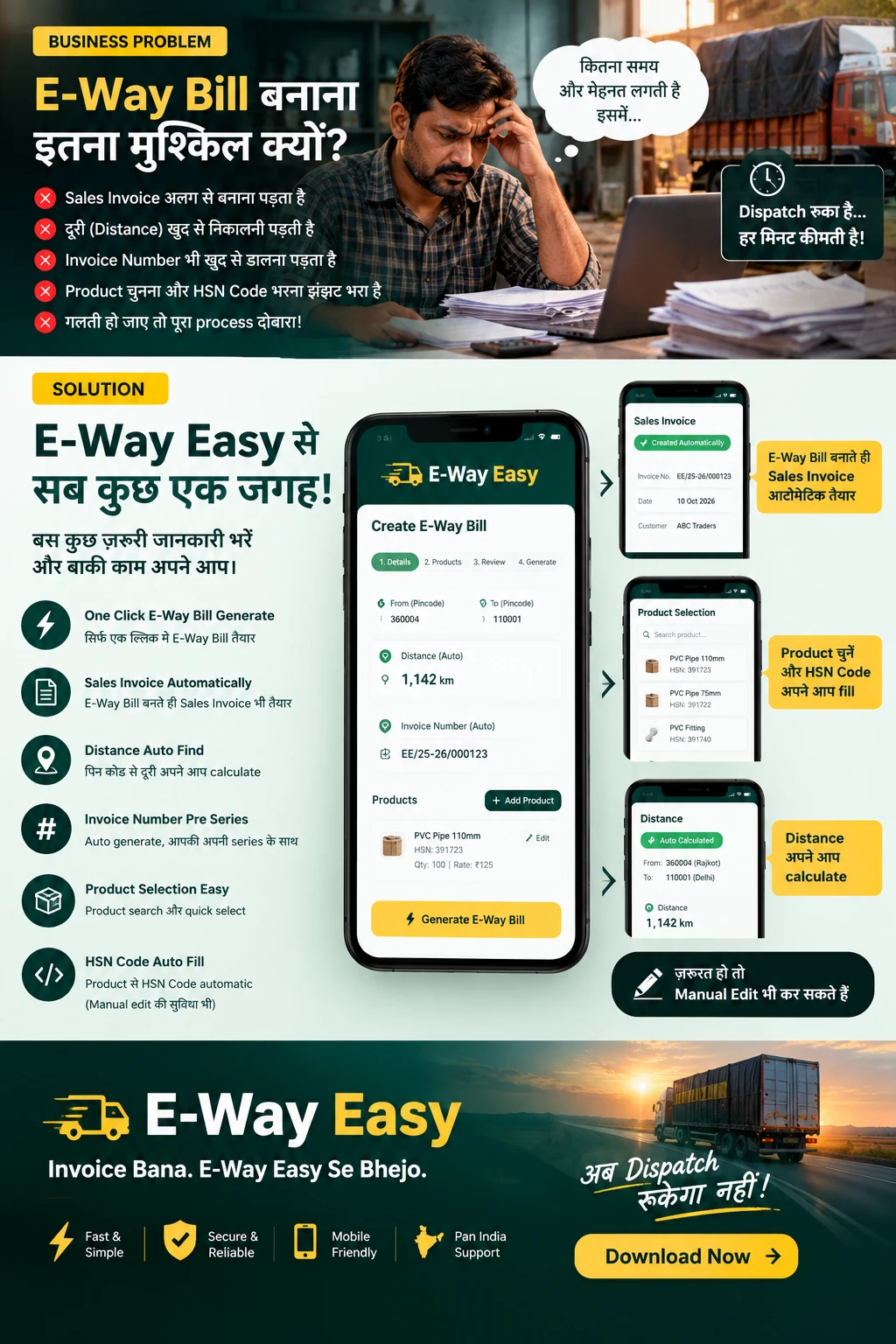
Create the sales invoice, review the e-way bill details and generate — three steps, on your phone. Buyer details fill from the GSTIN, HSN fills from your products and distance comes from the PIN codes.
- 3-step flow
- Saved buyers & products
- Auto distance from PIN
Before you start
What you need to get started
Keep these ready and your first e-way bill takes a few minutes, not an afternoon.
An Android phone
E-Way Easy is currently listed for Android on Google Play.
Your business GSTIN
Your seller details are saved once and used on every invoice.
Your buyers’ GSTINs
Enter a buyer GSTIN and the name, address, state and PIN fill in. Leave it empty for unregistered buyers.
A product list with HSN codes
Add your regular products with their HSN codes so they fill in when you pick a product.
Credits in your wallet
Credits in the app wallet: 1 credit = ₹1, 5 credits per e-way bill action. Packs start at 50 credits for ₹50.
Walkthrough
Your first e-way bill in 4 steps
Step 1: Install and set up once
Install E-Way Easy from Google Play, sign in with email or Google, and add your GSTIN. Connect your e-way bill API login once with the in-app guide, and set your invoice pre-series.
Step 2: Create or import the invoice
Tap create invoice and enter the buyer GSTIN (name, address, state and PIN fill in), then add products with their HSN codes. Or import an invoice PDF and review what the app read.
Step 3: Review the e-way bill details
Preview the sales invoice, then check the e-way bill details on the review screen. Distance is calculated from the PIN codes; edit it if the actual route differs.
Step 4: Generate
Tap Generate. The e-way bill number comes back from the official e-way bill system; download the PDF and share it with the driver on WhatsApp, or print it.
Not sure an e-way bill is needed for your consignment? Check with the e-way bill eligibility checker or read the complete guide.
Why E-Way Easy
From typing everything twice to one simple flow
Many businesses make the sales invoice in one place and then re-enter the same buyer, product, HSN and distance details for the e-way bill. E-Way Easy keeps it in one flow: details you save once fill in again next time, and every field stays editable.
FAQ
Questions before you download
Is E-Way Easy a government app?
No. E-Way Easy is an independent app and is not affiliated with the Government of India, GSTN or NIC. E-way bills are filed on the official NIC e-way bill system through an authorised GSP, and the official portal remains available to you at all times.
Is E-Way Easy available on iPhone?
E-Way Easy is an Android app. There is no iPhone app at this time.
Do I need my e-way bill portal credentials?
Yes, your e-way bill system API login. You connect it once inside the app, with guided steps, and it is stored encrypted and used only for the bills you ask for. E-way bills are filed on the official NIC e-way bill system through an authorised GST Suvidha Provider (GSP). Never share your portal password or OTP over phone, WhatsApp or email; no genuine support team will ask for them.
How much does it cost?
There is no yearly subscription. The app uses pay-as-you-go wallet credits: 1 credit = ₹1, and generating, updating Part-B, consolidating, cancelling or extending an e-way bill costs 5 credits (₹5) each. Credits are taken only when the action succeeds. Packs start at 50 credits for ₹50, paid through Razorpay; see the pricing page.
Can I create bulk e-way bills with the app?
No, bulk e-way bill generation is not an app feature. The app works one invoice at a time. For high volumes, see our guide on bulk generation through the official portal. Read the bulk e-way bill guide.