E-Way Bill Correction: What Can and Cannot Be Changed
An e-way bill cannot be edited, but some details can be updated. This guide shows what you can change (Part B, transporter, validity), what you cannot (Part A), and how to fix each kind of mistake.
Last verified against official sources: 11 Oct 2026
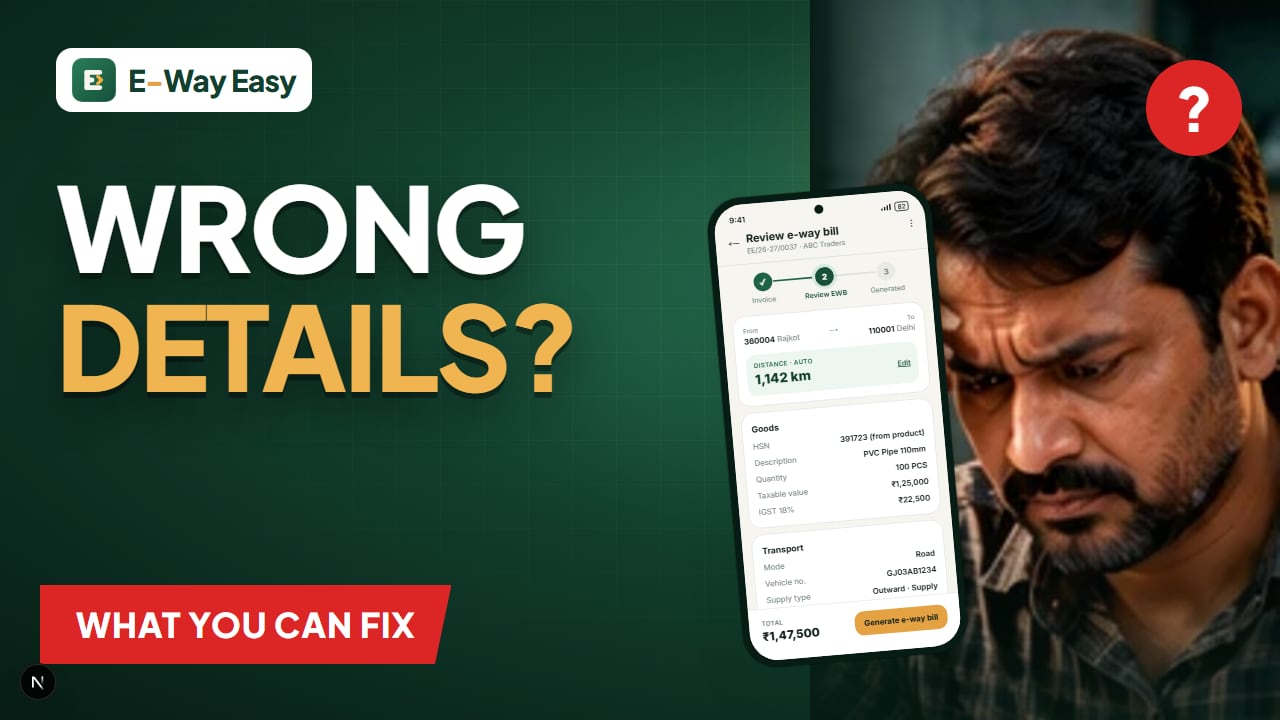
Table of contents
- The short answer
- Updating Part B
- Example (illustrative): vehicle change
- Changing the transporter
- Extending validity
- Fixing Part A mistakes
- Within 24 hours of generation
- After 24 hours
- Decision table for common mistakes
- Example (illustrative): HSN wrong
- Correcting the invoice vs correcting the e-way bill
- Example (illustrative): wrong quantity found at the buyer's end
- Who can make which change
- How to avoid needing corrections
- Official sources
Quick answer: You cannot edit an e-way bill after generation. Part B (vehicle or transport document), the transporter and validity can be updated, but if Part A details are wrong, cancel within 24 hours and generate a new e-way bill.
People often search for an "edit e-way bill" button. There is none. The system is designed so that the commercial details in Part A are fixed once the e-way bill is generated. What you can change is the transport side — the vehicle, the transporter and, in limited cases, the validity.
The short answer
| Can be changed | Cannot be changed |
|---|---|
| Part B: vehicle number | Supplier or recipient GSTIN |
| Part B: transport document number and date | Document type, number or date |
| Mode of transport (through Part B update) | HSN code, description, quantity, unit |
| Transporter ID (reassign transporter) | Taxable value, tax rates, tax amounts |
| Validity (extension within the window) | Dispatch-from or ship-to address and PIN |
| Multi-vehicle movement details (where used) | Sub-type or reason for transport |
If something in the right-hand column is wrong, the route is: cancel within 24 hours and generate a new e-way bill.
Updating Part B
Part B can be updated any number of times while the e-way bill is valid. Common reasons:
- The original truck broke down and the goods moved to another vehicle.
- Trans-shipment at a hub onto a different vehicle.
- The vehicle number was mistyped.
- Mode changed, for example road to rail for part of the journey.
- Part B was left blank at generation and is now being filled.
How: log in to the official portal, choose the option to update Part B / vehicle, enter the EWB number, then enter the new vehicle number or transport document details, the place of change, and the reason. Submit.
Updating Part B on a bill that had none does start the validity clock. Updating it on a bill already in movement does not reset validity.
Example (illustrative): vehicle change
A Ludhiana hosiery unit's goods leave on truck PB10AB1234 for Delhi. At Ambala, the truck develops a fault, and the goods are shifted to PB10CD5678. The transporter updates Part B from Ambala with the new number and reason before the second truck leaves. The original e-way bill stays valid; only the vehicle changes.
Changing the transporter
The generator can assign or change the Transporter ID, and an assigned transporter can pass it to another transporter. This is useful when:
- You booked one transporter and then switched.
- A transporter hands the consignment to another for part of the route.
After reassignment, the new transporter can update Part B. The previous transporter loses that ability.
Extending validity
If the goods cannot reach on time due to exceptional circumstances, the validity can be extended within 8 hours before or after expiry. This is not a correction of the original data, but it is the only way to change the validity. See E-Way Bill Validity.
Fixing Part A mistakes
Within 24 hours of generation
- Cancel the e-way bill with a reason (for example, data entry mistake).
- Generate a new one with the correct details.
- Give the driver the new e-way bill and withdraw the old printout.
After 24 hours
You cannot cancel on the portal. Options are limited:
- If the recipient GSTIN is wrong, the wrong recipient can reject it within 72 hours or before delivery.
- If the goods have not moved, keep records showing why.
- If goods are moving with a materially wrong e-way bill, take professional advice — an incorrect bill can be treated like an invalid one at a checkpoint.
Decision table for common mistakes
| Mistake | Within 24 hours | After 24 hours |
|---|---|---|
| Vehicle number typo | Update Part B | Update Part B (while valid) |
| Wrong transporter | Change Transporter ID | Change Transporter ID |
| Wrong recipient GSTIN | Cancel and regenerate | Recipient rejects; take advice |
| Wrong invoice number or date | Cancel and regenerate | Keep records; take advice |
| Wrong HSN or quantity | Cancel and regenerate | Take advice |
| Wrong value or tax | Cancel and regenerate | Take advice |
| Wrong ship-to PIN or distance | Cancel and regenerate | Take advice |
| Wrong transport mode | Update Part B | Update Part B (while valid) |
| Bill about to expire | Extend in window | Extend in window |
Example (illustrative): HSN wrong
A Rajkot pipe manufacturer generates an e-way bill at 09:30 using an HSN for fittings instead of pipes. The error is noticed at 12:00 the same day. The team cancels with reason "Data entry mistake", corrects the product master, and generates a new e-way bill before the truck leaves.
Correcting the invoice vs correcting the e-way bill
Sometimes the mistake is in the invoice itself — wrong rate, wrong quantity, missing discount. Correcting the e-way bill alone does not help, because the e-way bill must match the document that travels with the goods.
| Where the error is | What to do |
|---|---|
| Only in the e-way bill (invoice is right) | Cancel within 24 hours and regenerate from the correct invoice |
| In the invoice, goods not yet dispatched | Correct or replace the invoice as per your accounting process, cancel the e-way bill, regenerate |
| In the invoice, goods already delivered | Issue a credit or debit note as applicable; the e-way bill stays as a record of the movement |
| In an e-invoice (IRN) | Follow the IRP's cancellation rules and time limit; the e-way bill is handled separately |
Example (illustrative): wrong quantity found at the buyer's end
A Pune auto-parts supplier ships 500 units, but the invoice and e-way bill show 50 because of a typing slip. The buyer notices on delivery, two days later. The 24-hour cancellation window has passed and the goods have arrived. The supplier cannot change the e-way bill. The practical course is to fix the commercial record through the accounting route (a debit note for the extra quantity, or a fresh invoice for the balance as advised), and keep a note explaining the mismatch. If the truck had been stopped on the way, the mismatch could have led to detention — which is why the review step before generation matters.
Who can make which change
| Change | Generator | Assigned transporter | Recipient |
|---|---|---|---|
| Update Part B | Yes | Yes | No |
| Change transporter | Yes | Yes (reassign) | No |
| Extend validity | Yes | Yes (if in charge of Part B) | No |
| Cancel | Yes, within 24 hours | No | No |
| Reject | No | No | Yes, within the acceptance window |
How to avoid needing corrections
- Keep a clean product list with the correct HSN codes.
- Verify buyer GSTINs before saving them; reuse saved buyers instead of retyping.
- Check PIN codes, especially when ship-to differs from bill-to.
- Review every bill before submission.
In the E-Way Easy app, the Review EWB step shows the e-way bill details pulled from your invoice before they are completed, and HSN fills from your saved products. That review step is the cheapest place to catch errors. The free HSN code lookup helps keep product codes right.
Official sources
Update and cancellation options are defined by the official system. Check the e-way bill portal, the user documentation, and Rule 138 on CBIC GST.
Frequently asked questions
Can I edit an e-way bill after generation?
No. Part A details cannot be edited. You can update Part B (vehicle or transport document), change the transporter, and extend validity within the allowed window.
How do I correct a wrong GSTIN in an e-way bill?
Cancel the e-way bill within 24 hours of generation and generate a new one with the correct GSTIN.
How many times can I change the vehicle number?
Part B can be updated any number of times while the e-way bill is valid.
Who can update Part B?
The generator of the e-way bill, or the transporter assigned to it. Once assigned, the transporter can update Part B or reassign to another transporter as permitted.
Can the recipient correct an e-way bill?
No. The recipient can accept or reject it within 72 hours or before delivery, whichever is earlier, but cannot change its contents.
Sources and references
- E-Way Bill System (official portal)ewaybillgst.gov.in
- E-Way Bill user documentationdocs.ewaybillgst.gov.in
- CBIC GST (CGST Rules, Rule 138)cbic-gst.gov.in
This article is general information, not tax or legal advice. GST and e-way bill requirements depend on the transaction, applicable notifications and state-specific provisions. Check the official portals before you rely on it.
Editorial update history
- Added the decision table for common mistakes.
- First published.
Written by
Bhavesh AkabariBhavesh Akabari writes the E-Way Easy guides on e-way bills, GST invoicing and day-to-day compliance workflows for Indian manufacturers, wholesalers and traders. Every compliance article is checked against official GST and e-way bill sources and carries a "last verified" date.
More e-way bill guides
How to Cancel an E-Way Bill (24-Hour Rule)
When and how to cancel an e-way bill on the official portal, the 24-hour limit, why cancellation is blocked after verification, what happens to the invoice, and what to do after 24 hours.
Common E-Way Bill Errors and How to Fix Them
The everyday problems businesses face while generating e-way bills, explained in plain words: GSTIN issues, duplicate documents, distance rejections, tax mismatches, login trouble, expired bills and more, with practical fixes.
E-Way Bill Validity: Calculation, Extension and Expiry
How e-way bill validity is calculated for normal and over-dimensional cargo, when the clock starts and ends, how to extend an expiring bill, and what to do if it expires, with timestamped examples.